Auto Reply Text Message Examples for Business (35 Templates)
Get clear, effective auto reply text message examples for your business. Explore ready-to-use templates for after-hours, OOO, customer support, and more.

KEY TAKEAWAYS
- 48% of consumers prefer direct business communication via text, making auto-reply messages essential for handling inquiries after hours or on weekends.
- Twelve template categories cover general replies, welcome texts, vacation, after-hours, holiday closure, out-of-office, customer support, appointment confirmations, and more.
- Auto-replies acknowledge customer messages instantly, share availability, alternative contact methods, and expected response times to keep service consistent.
- Textedly's auto-reply feature activates in five quick steps: log in, select Automatic Replies in the App Store, upload contacts, craft messages, then schedule or send.
Today, 48% of consumers prefer direct business communication via text. But what happens when you receive texts after business hours or on weekends and holidays? Auto-reply texts to the rescue!
Auto-reply messages are not a new concept. You probably have an after-hours voicemail and out-of-office message email set up for your business already. However, automated text messages can save time by providing an even faster communication channel that informs and assures your customers when you cannot respond.
Today, we’ll share some auto-reply text message examples for businesses to help you get started.
What is an Auto Reply Text Message
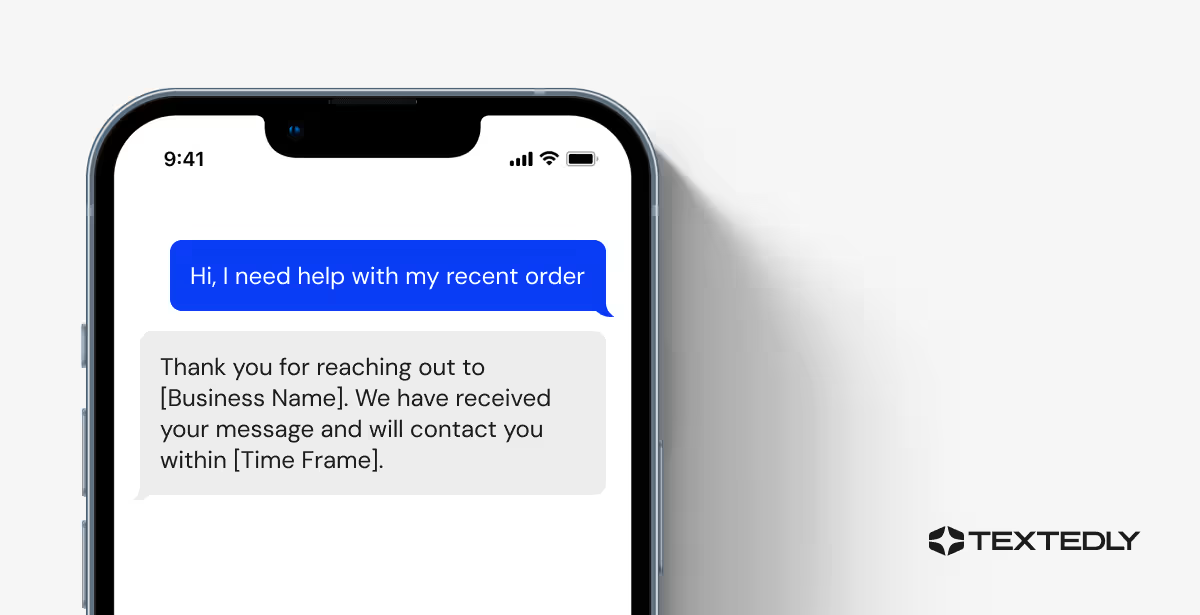
An auto-reply text is a programmed response sent automatically from a device or application in response to an incoming message. Auto-reply texts serve to acknowledge receipt of a message and inform the sender that the recipient is unavailable or unable to respond immediately.
Why Set up Auto Reply Texts
They can be customized to convey specific information, such as the sender's availability, alternative contact methods, or expected response times. Auto-reply texts are convenient for managing business communication during periods of absence, ensuring that senders receive timely acknowledgment and relevant information despite the recipient's unavailability.
Setting up an auto-response is a great way to minimize customer response time without taking your attention away from other business areas.
Auto Reply Text Samples
Use the following ready-to-go templates to create auto-reply messages that resonate with your audience and streamline customer interactions.
1. General Auto-Reply Texts
A general auto-reply confirms you have received a customer’s message and will be in touch soon. Since this is typically the first message a customer will receive from you, include your business name, hours of operation and a link to your website for more information.
- Hi there! We received your message and will contact you before our offices close at [Closing Time].
- Hi [Name], thanks for contacting [Business Name]. We’ve received your message, and a team member will follow up within [Timeframe]. Thank you for your patience!
- Hello [Name], this is an automatic reply from [Business Name] confirming that your message arrived safely. Our team is reviewing it now and will get back to you as soon as possible during regular business hours.
2. New Customer Welcome Texts
When one of your leads becomes a paying customer, staying connected with them is essential. If you cannot reach out to your customers immediately, auto-reply messages are a quick and effective way to thank them for their business.
- Thank you for your recent purchase from [Business Name]! Please contact us with any questions or visit our website: [Website URL].
- Hi [Name], your order with [Business Name] is confirmed. If you have questions about your purchase or need assistance, simply reply to this message.
- Hi [Name], thank you for your purchase! We’ve received your order and will send your confirmation shortly. If you have any questions in the meantime, just reply to this message — we’re here to help.
3. After Hours Texts
Auto-reply text messages make it easier for your team to stay connected with your customers, even after hours. Automatic messages can also remind people of your hours of operation and inform them when they should expect to hear back from you.
- Hi there, you’ve reached [Business Name]. Unfortunately, our offices are currently closed, but we will contact you when we return. Our hours of operation are Monday through Saturday, 8 am to 9 pm PT.
- Hi [Name], thanks for contacting [Business Name]. We’re closed for the day, but your message has been received. Our team will respond once we reopen at [Hours].
- Thanks for your message, [Name]. Our office is currently closed, but your inquiry has been logged. We’ll get back to you during our next business window between [Start Time] and [End Time].
4. Out-of-Office Reply Texts
If you’re out of the office or unable to check your email and texts, these auto-reply texts can ensure your customers feel that you aren’t ignoring their messages while promoting your business’s products or services.
- Hello! I am out of the office now but will reply ASAP. You can expect a reply by [Date] at the latest. You can contact [Team Member] at [Phone Number] for anything you need.
- Hi [Name], I’m currently OOO and returning on [Date]. I’ll review your message when I return. If you need something sooner, our team can help at [Email/URL].
- Hi [Name], thanks for your message. I’m away from my desk until [Date], so my replies may be delayed. I’ll get back to you once I return.
5. Appointment Confirmation Texts
Automated messages can help your customers remember their appointments without being too invasive. You can also avoid lost time slots and maximize your office’s productivity by confirming appointments ahead of time.
- Hi [Customer Name], you have an appointment with [Team Member] tomorrow at [Time]. Reply with YES to confirm your appointment. See you then!
- Hi [Name]! Your appointment is confirmed for [Date/Time]. If you’d like to share any notes or questions beforehand, just reply here.
- Hi [Name], we’re holding an appointment time for you on [Date/Time]. Please reply YES to confirm or CHANGE to request another time.

6. Opt-In Response Texts
Automated messages help your business meet SMS compliance regulations by offering customers a way to immediately opt in to text messages.
- Hi [Name], thank you for opting in for [Service Name]. Please reply with Y to confirm your opt-in decision or STOP to unsubscribe.
- Hi [Name], want to receive updates and offers from [Business Name]? Reply YES to opt in to text notifications.
- Hi [Name], want exclusive offers and important updates from [Business Name]? Reply YES to join. Reply STOP to opt out anytime.
7. Thank You Texts
If a customer leaves your website without buying anything, an auto-reply text message is an opportunity to incentivize them to complete their purchase with a special coupon code.
- Thank you for visiting [Business Name]! Use the code SALE20 to save 20% on any one item on your next visit.
- Hi [Name], thanks for visiting [Business Name]! Here’s 10% off your next order — use code [CODE] at checkout. Let us know if you have any questions.
- Hi [Name], thanks for stopping by [Business Name]! Enjoy 10% off with code [CODE] if you decide to place an order. We’re here if you need help.
8. Vacation Texts
Don’t leave your customers hanging if you’re away on vacation for an extended period. Crafting a simple message with alternative contact information is always appreciated.
- Hi [Name], thank you for contacting me. I’m on vacation until [Date]. Please contact my colleague [Name] at [Phone Number] if you need immediate assistance.
- Hello [Name], I’m on vacation with limited access to messages until [Date]. I’ll reply when I return. For timely support, please reach out to [Team/Department] at [Email].
9. Holiday Closure Texts
Are you closing for the holidays? Let your customers know when your business will resume operations.
- Season’s greetings! Our offices will be closed on Dec. 24 and 25. However, I will respond to your message when we return on Dec. 26. If you have an urgent matter, you can reach me on my cell at [Phone Number]. Thank you!
- Hi [Name], [Business Name] is closed in observance of [Holiday]. We’ll resume normal operations on [Date] and respond to your message then.
- Thanks for reaching out. Our offices are closed for [Holiday], but we’ll reply as soon as we return on [Date]. If urgent, please contact us at [Alternate Contact].
10. Customer Support Texts
Nothing is more frustrating than needing help and not getting it. If a customer has contacted your support team, reassure them that you’ll be with them shortly.
- Thank you for contacting our 24/7 Customer Support Desk. A member of our team will respond to you within two hours. Thank you for your patience!
- Hi [Name], your request has been received. Our team is reviewing it now and will follow up within [Timeframe]. Thanks for your patience.
- Hello [Name], thanks for contacting [Business Name] Support. We’re assessing incoming requests and will reach out as soon as a team member is available.
11. Event Reminder Texts
Event reminder text templates are the secret sauce behind successful gatherings, seamlessly blending efficiency with courtesy in the realm of event management.
- Don’t miss out. [Company name]’s annual [conference name] is in one week! Download our full agenda here [link]
- Hi [Name], this is a reminder that [Event Name] is coming up on [Date]. If you need directions or additional details, you can visit [URL].
- Quick reminder, [Name] — your upcoming event hosted by [Business Name] is on [Date/Time]. Reply HELP if you need anything before arriving.
12. Product Launch Announcement
Product launch text messages are the pulse of modern marketing, pulsating with anticipation and excitement as new innovations hit the market. These impactful messages serve as digital drumrolls, heralding the arrival of game-changing products to eager audiences.
- It’s time! [Product name] is now live and available exclusively on our website 🎉. Get yours today at [Website URL].
- Hi [Name], great news — our new [Product Name] is officially available. You can explore full details and early-access pricing at [URL].
- The wait is over, [Name]. Our latest release, [Product Name], is now live. Visit [URL] to learn more or place an order.
Save Time With Textedly’s Auto-Reply Text Messages
Auto-reply text messages are a quick and easy way to stay connected with your clients while providing them with excellent customer service at their convenience. Ready to set up an auto-reply solution for your business?
How to Use Textedly’s Auto-Reply Feature
Getting auto-reply text messages up and running with Textedly is a breeze, giving your business the power to build killer communication flows.

- Step 1: Log in to Textedly and click on the 'App Store' tab of the navigation menu.
- Step 2: Select ‘Automatic Replies’ from the App Store. Most of the Apps in Textedly’s App Store are free of charge, but this one is activated by a small one-time fee.
- Step 3: Now you’re ready to go! Start by uploading your contact list to the page. You can also just drag and drop your list.
- Step 4: Craft personalized messages that align with your business's tone and branding. You can also choose from various SMS templates that you can customize for your business!
- Step 5: Schedule the message to be sent sometime in the future, or send it immediately! Read more about the best time to send text messages to increase engagement and conversions.
That’s it! Once configured, Textedly's automated system ensures swift responses to incoming texts, enhancing customer engagement and saving valuable time for your team.
Textedly offers robust SMS marketing services for companies, both large and small. Our affordable, user-friendly platform makes communicating with your contacts efficient and easy, with a rich feature set that’s fully customizable based on your needs and timelines.
Get started with a free account and start texting your customers today.
What makes an effective auto-reply message?
A great auto-reply text message does more than acknowledge a customer’s inquiry; it sets clear expectations, reduces uncertainty, and keeps communication moving even when your team can’t respond right away. Response messages are short, helpful, and purpose-driven, giving customers exactly the information they need without overwhelming them.
A strong auto-reply should:
- Acknowledge the message so customers know their text went through.
- Set expectations by sharing when they can expect a response.
- Offer alternative contact options, such as an email, help center link, or support line, when appropriate.
- Stay concise and readable, using natural language that fits SMS communication.
- Match your brand voice, whether friendly, professional, or service-focused.
- Include compliance language (YES or STOP responses) when required for opt-ins or recurring messages.
- Provide helpful next steps, like reminding customers of business hours, confirmations, or simple actions to take before your team replies.
When your auto-reply checks these boxes, it not only improves customer experience but also minimizes missed opportunities, reduces support workload, and ensures every message receives timely acknowledgment.
How do automated text replies improve customer experience?
Most businesses use auto-reply messages because customers expect fast communication, even when your team is offline or busy. The table below highlights how automated responses solve the most common challenges and support a smoother customer experience.
Start sending smarter, faster replies today.
Create your free Textedly account and begin automating your customer communication in minutes.
Related Articles

Do You Need a CRM? Understanding Your Options

Best Time to Send SMS Blasts for Max Engagement

SMS Marketing Calendar: Key Holidays and Events in 2025

Text vs. Email Marketing: Which Channel Gets Better Results?


Your Customers Are Waiting
Send your first text in minutes—no contracts, no credit card, no hassle.